
Lock a company iPhone remotely, within the law
A remote iPhone lock is a command the company sends from the MDM console to lock the screen of a device it owns, with a message and a contact number. Use it when a phone is lost, a staff member has not returned it, or an instalment contract is overdue. Do not use it to read messages, track location every day, or lock a phone the business does not own.
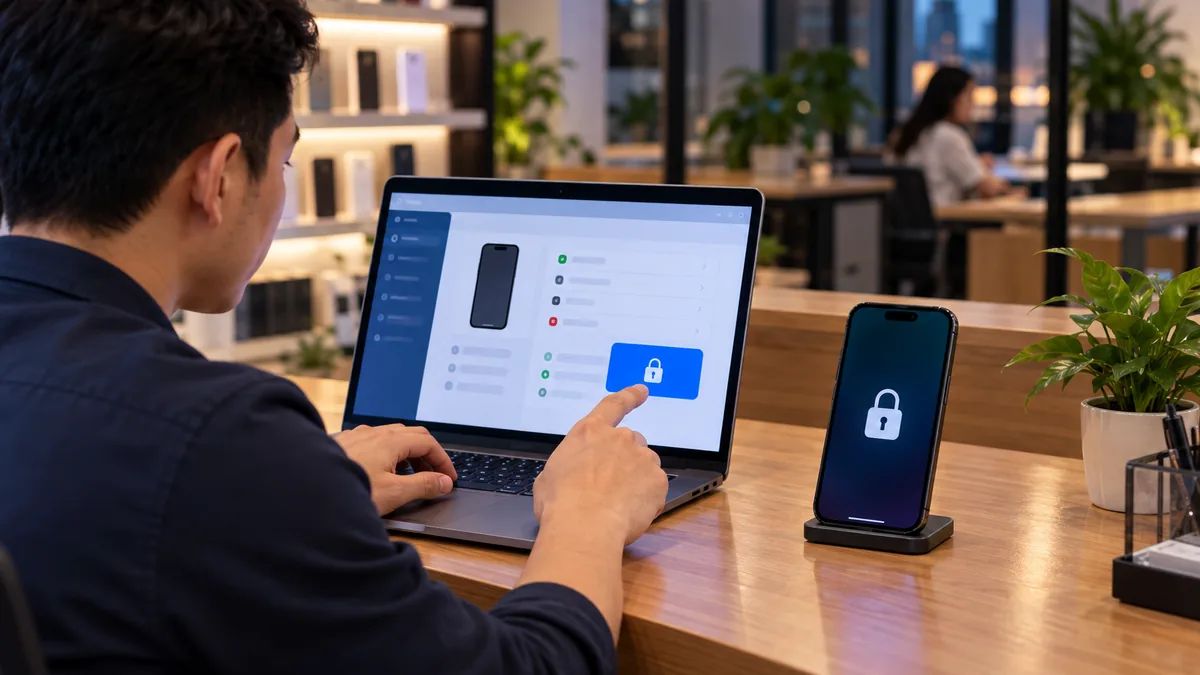
A remote lock is a command on a company device
A remote iPhone lock is not an extra app on the phone. An authorised person opens the MDM console, picks the device, and sends a lock command. When the device is on a network it receives the command, the screen locks, and it shows a message plus the shop or company phone number.
ABMDM supports lock with a message and a phone number — see features. Every command should record who sent it and when. Do not send commands from a shared login with no named owner.
The device must already be in the system: connected to Apple Business and assigned to ABMDM. A phone that was never enrolled has no remote command channel. How devices get in is in What is MDM?.
When you may lock, and when you may not
You may lock a device the business owns: staff phones, counter iPads, leased devices, and instalment devices that are not paid off (Civil Code Article 453: the seller keeps title until the buyer pays in full).
Do not lock a customer's device after they have paid off and you forgot to remove management. Do not lock a phone an employee brought from home unless there is written consent. Do not lock a used phone you just bought “to try it”.
Payment reminders and overdue locks only from 7am to 9pm, and only to the person named on the contract. Locking after hours, calling in a barrage, or locking a relative's phone is outside the lawful scope.
| Situation | Fitting command | Note |
|---|---|---|
| Staff device lost, not recovered | Lock; Lost Mode if you need location or sound | Log it; location only in Lost Mode |
| Staff leave without returning the phone | Lock with a reclaim contact number | The device must be company-owned |
| Instalment customer overdue | Tiered lock, reminder, VietQR | 7am–9pm; unlock on payment |
| Personal device, no written consent | Do not send a command | Do not enrol it |
Lock, Lost Mode and wipe
Lock: the screen cannot be used, a message is shown. Use it when you need the person holding the device to get in touch.
Lost Mode: locate the device and play a sound. Location is sensitive data — turn it on only when the device is lost or a contract is overdue, and log every view, as the Security page describes.
Wipe: erase data on the device. Use it when you are sure you will not get the hardware back and you need to protect company data. A wipe does not replace the contract; an instalment device that was wiped still has a debt on paper.
ABMDM can also restart, shut down, clear a forgotten passcode, rename a device, and set a wallpaper with a contact number. Enforce or defer iOS updates is still under “Coming soon”.
Remote lock is not personal Find My
Find My on a personal Apple Account is for the person who signed in. A company remote lock is an organisation command on a device the business owns. Staff should not treat a company iPhone as their own Find My target, and the shop should not use a personal Apple Account as the lock for a fleet.
When a staff member leaves, you recover the device through the MDM console, not by guessing their Apple Account password. When a customer is overdue, you apply the lock tier on the contract, not a personal Find My ping.
Tiered locks on overdue instalments
A shop should not jump to a wipe when a customer is a few days late. Device financing ties a contract to each device: due-date reminders, three lock tiers, and automatic unlock when the customer pays by VietQR.
Write the lock-screen reminder with the number of days overdue, the shop phone number, and how to pay. Do not write threats, and do not show another person's data on the screen.
After payoff: remove management or mark the device as settled. Leaving a paid-off phone locked is wrong, and the next buyer will think the device is “MDM-locked”.
After the lock: unlock, hand back, settle
Unlock when the staff member returns the phone, the lost device is found, or the customer pays. Check the console: the device should leave the locked state, and the lock-screen message should go.
If you handed the device to a new staff member, rename it and set the wallpaper with the current contact number so a later lock still shows the right shop.
If you sold the device after payoff, confirm on the device itself that Device Management is gone and setup no longer shows the organisation name.
Who may press lock, and how logs work
Only accounts with permission. In a shop with several branches, a staff member should see only their branch's devices. Do not give lock rights to every salesperson.
Every lock, unlock, location view and wipe is logged. When a customer or employee complains, the log is evidence that you acted at the right hour on the right device.
Try the command on one company device before you apply it in bulk. The ABMDM trial is 14 days, up to five devices, with no upfront payment. Have someone standing by the first time you send a command. Call 0913 081 986 (8am–9pm).
All articles · What is MDM? Mobile device management for business · What is Apple Business? The change from April 2026 · How to register Apple Business in Vietnam
Frequently asked questions
Does a remote lock erase photos and messages?
No. A lock command only locks the screen and shows a message. A wipe is a different command, used when you are sure the device will not come back. ABMDM cannot read photos or messages.
Can we lock an employee's personal iPhone?
Only if the business owns the device, or there is clear written consent. Do not lock a personal phone just because the person works at the shop.
How is an overdue instalment lock different from a lost-device lock?
Both lock the screen; the reason and the message differ. A lost device can use Lost Mode (location, sound) when needed. An overdue device uses tiered locks, reminders from 7am to 9pm, and unlocks when the customer pays.
Can we view location when we lock the device?
Location is sensitive personal data (Law 91/2025/QH15, Decree 356/2025/ND-CP). View it only in Lost Mode or when a contract is overdue, and log every access.
What if a staff member forgets the passcode?
For a company device in ABMDM, an authorised person can send a clear-passcode command. Do not ask an outsider to “unlock” a device that is not yours.
Want advice tailored to how you operate?
Call 0913 081 986 (8am–9pm, every day) or leave your details and we will call you back.