
How to set up lock tiers
Set three lock tiers for overdue instalments: days per tier, reminder text, assign the contract, then test on one device. The screens may change.

Tiers are gradual limits
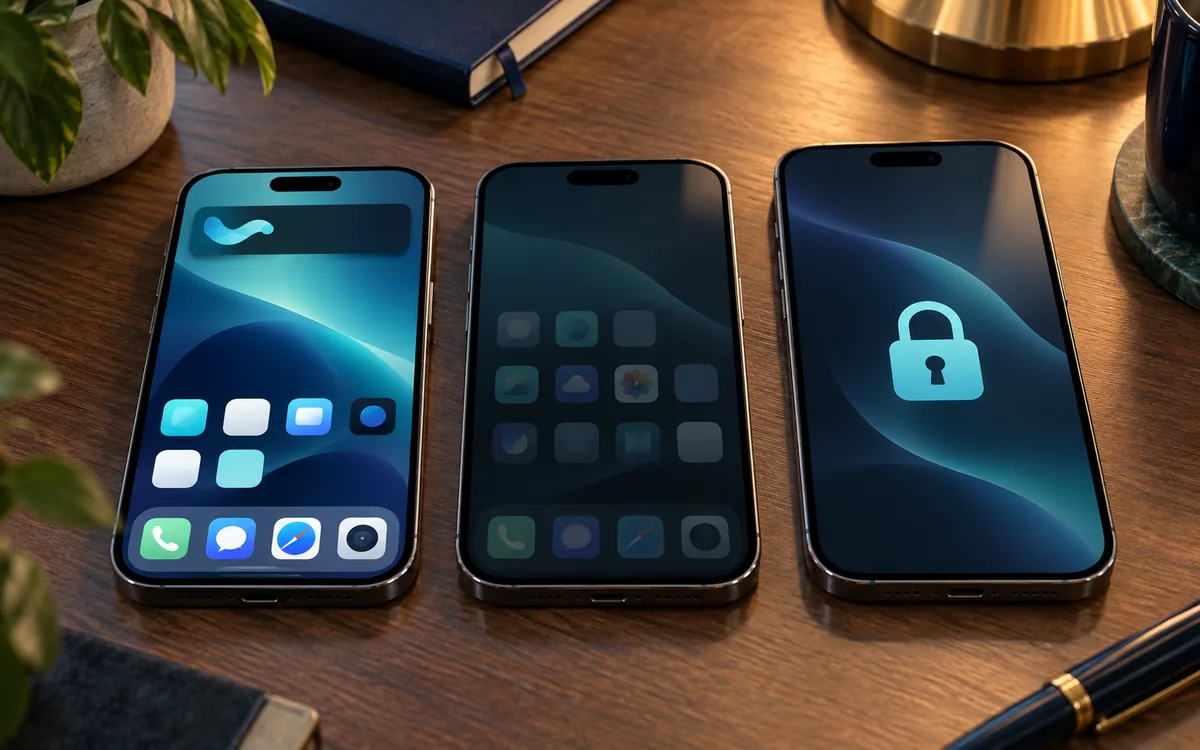
When an instalment is overdue, do not jump to a wipe. ABMDM tightens access by the number of days you set; the customer can still call and always has a way to pay on screen — as on device financing.
The three tiers on the site:
- A fixed reminder, and some entertainment apps blocked.
- More apps restricted; calls still work.
- The device locks to a payment screen and emergency calling.
The reminder includes days overdue, the amount due, the shop phone number and a VietQR code. Do not write threats.
Ownership model: instalment iPhones with MDM. Tier explainer: instalment lock tiers.
The screens may change; call 0913 081 986 for a live walkthrough.
Set the days for each tier
Do this in order, without a specific button name:
- Open device financing in the dashboard.
- Set overdue days for tiers 1, 2 and 3.
- Write the lock-screen reminder, including the shop phone number.
- Apply the rule to the contract.
- Test on one device: a trial unit or a simulated overdue state, and check the tier and the text.
- Only then apply it to the live book.
Reminders only from 7am to 9pm, only to the named party. Civil Code 453: the seller keeps title until payoff; the contract should mention device management.
With several branches, attach the device to the right branch so the number on screen is the shop where the customer signed.
Unlock when the customer pays
Connect VietQR so the device unlocks itself: connect VietQR for automatic unlock. Until then, someone with the right role unlocks by hand and the action is logged.
After payoff, the device leaves management. Check the device itself before you treat it as cleared.
Do not put lock tiers on an employee’s home phone. Do not wipe because a payment is a few days late.
Reminder text on the screen
Write days overdue, the amount due, the shop phone number and how to pay. No threats, no other customer’s ID number, no “we will call the police” on the screen.
Tier one is enough to remind. Tier three is for a clearly overdue contract. Do not jump to tier three after one day because you are impatient.
Test outside 7am–9pm: the system must not lock in that window. If a test device locks at 10pm, stop and call 0913 081 986.
After payoff: remove management, check the device, let the customer see a screen with no organisation payload before they sign the clearance.
Check before you apply the live book
One test device, one dummy contract, all three tiers. The reminder shows the right shop number. The customer can still call. The device does not lock outside 7am–9pm. Only then attach live contracts.
The screens may change; call 0913 081 986 for a live walkthrough.
Need this now? Call 0913 081 986 (8am–9pm).
All guides · How to register for Apple Business · Connect Apple Business to ABMDM · Add a retail iPhone with Configurator
Frequently asked questions
How do the three lock tiers differ?
Tier one shows a reminder and blocks some entertainment apps. Tier two adds restrictions; calls still work. Tier three locks to a payment screen and emergency calling. You set the days for each tier.
Can the customer still call when the device is locked?
Yes. The design is not a hard cut-off. The customer can always reach you and pay from the screen.
Can we fire a tier outside 7am–9pm?
Overdue reminders and locks only run from 7am to 9pm, and only to the person named on the contract.
Can we wipe a device two days late?
You should not. Wipe is a different command, for when you will not recover the hardware. Overdue instalments follow tiers and unlock when the customer pays.
Are the lock-tier screens in ABMDM fixed?
The screens may change; call 0913 081 986 for a live walkthrough.
Want advice tailored to how you operate?
Call 0913 081 986 (8am–9pm, every day) or leave your details and we will call you back.